

The Vary Tax by ZIP Code feature allows your business to automatically apply different tax rates based on your client’s ZIP code.
This helps you accurately collect taxes for appointments in different areas — especially useful for mobile grooming businesses that serve multiple locations.
- Assign specific tax rates for each ZIP code you serve.
- Let MoeGo automatically apply the correct rate during checkout.
- Ensure accurate reporting and refunds — no more manual edits or missed tax amounts.
How It Works
Step 1: Setup ZIP-based tax list
Go to Settings >Business > Taxes and add ZIP codes with their corresponding tax rates.
💡 Please make sure you input the accurate and exact ZIP code. If the ZIP code is not listed in your setup, the default service tax rate will be used.
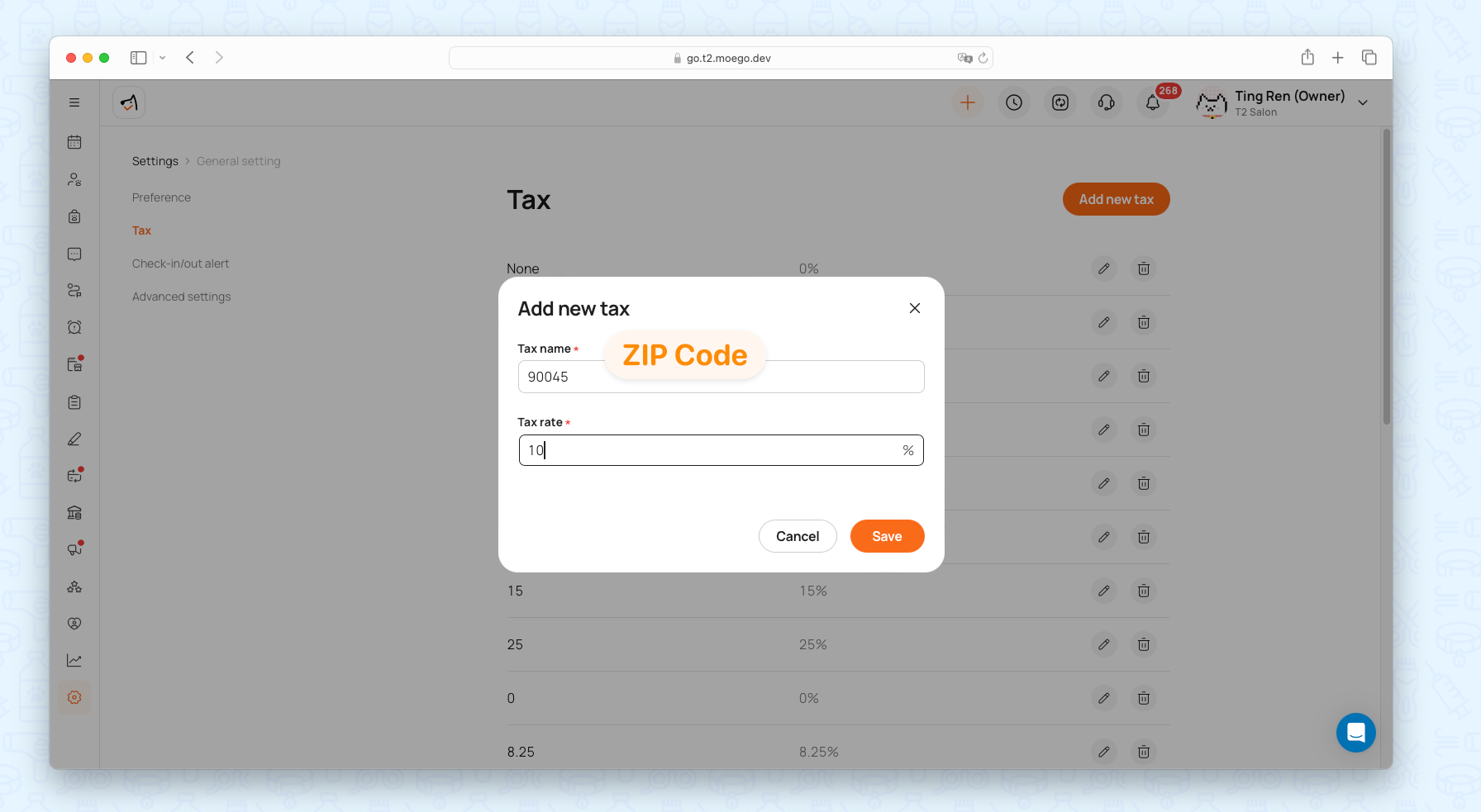
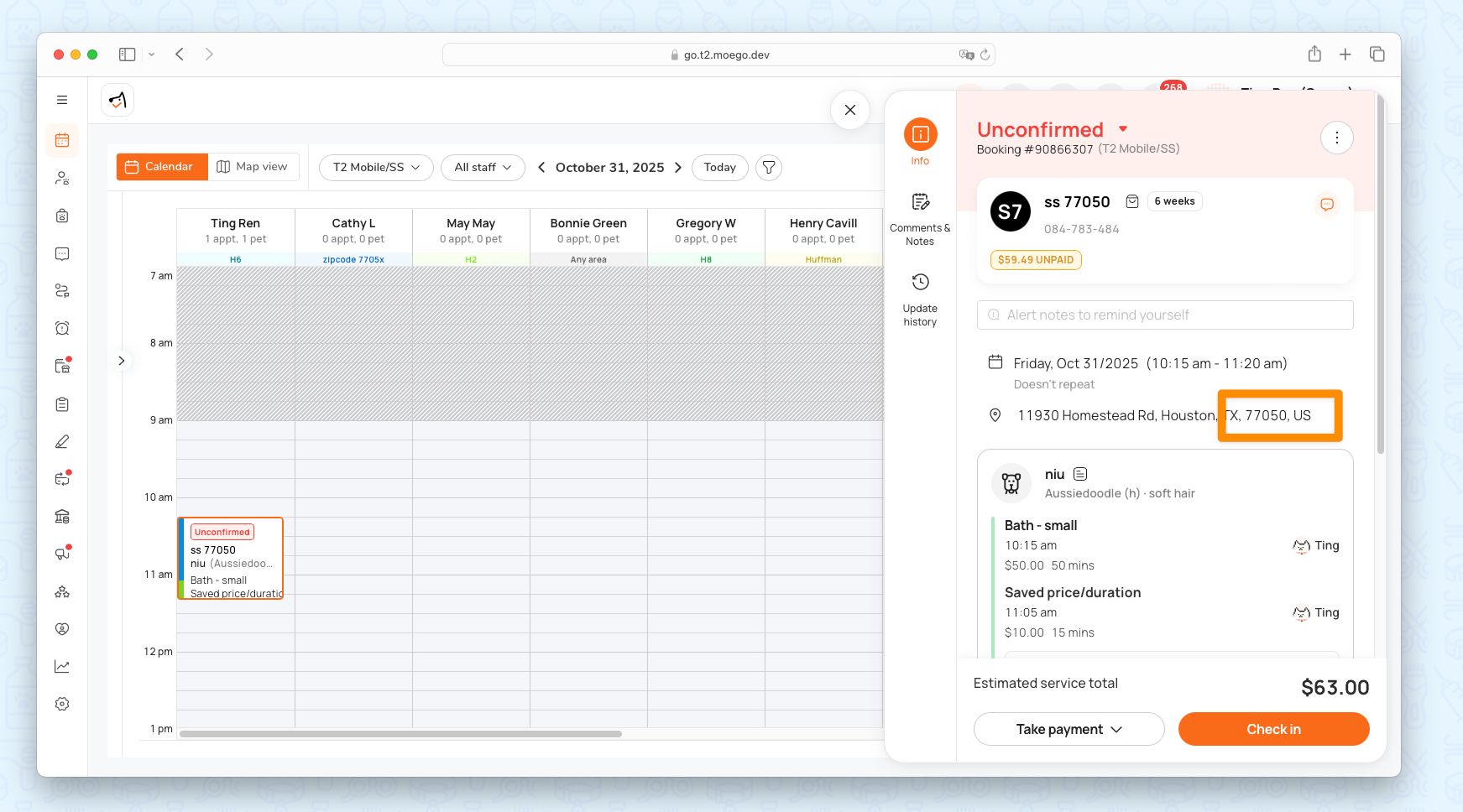
Step 2: System detects client ZIP
When a client books online or when you create an appointment manually, MoeGo automatically retrieves the ZIP from the client’s address.
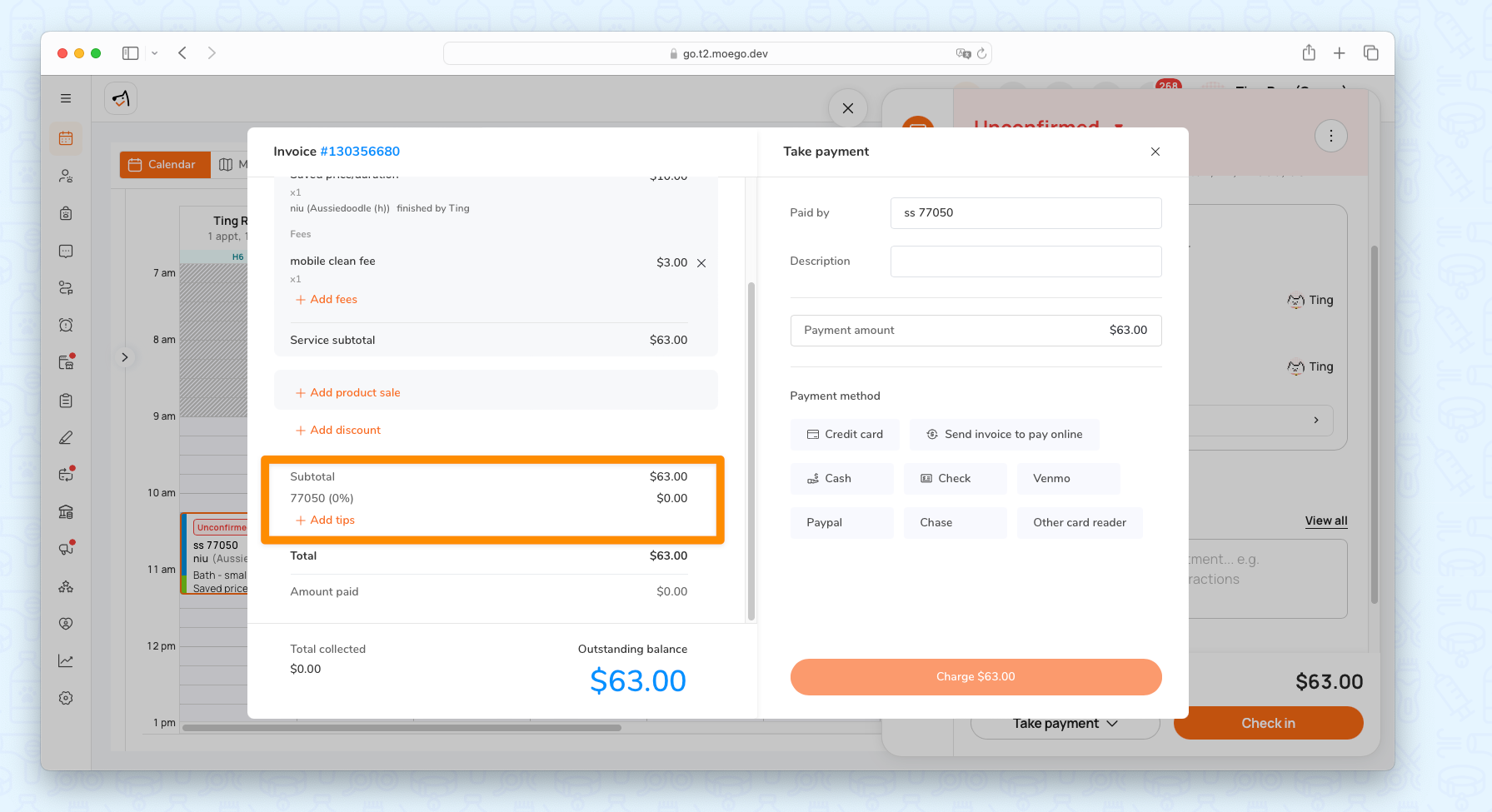
Step 3: Tax applied automatically
During checkout, MoeGo applies the correct tax rate based on the ZIP code.
Calculation rule
Tax = (Service base price + Pricing by Zone) × Tax rate.
For more details on pricing by zone, please check here.
The applied tax rate is reflected in your reports and refunds.
Example Scenarios
Example 1 — Groom Large Service
- Service base price: $100
- Pricing by Zone for ZIP “90045”: +$5
- Tax for ZIP “90045”: 10%
- Total Tax: ($100 + $5) × 10% = $10.5
Example 2 — Groom Large Service
- Service base price: $100
- No Pricing by Zone set
- Tax for ZIP “90045”: 10%
- Total Tax: $100 × 10% = $1o
💡 MoeGo automatically applies the correct ZIP-based tax each time — no manual changes needed.
FAQ
Q: What happens if my client’s ZIP code isn’t in my tax list?
A: MoeGo will use your default service tax rate.
Q: Can I update the tax after the appointment is booked?
A: No. The tax is fixed at the time of booking to keep your reporting accurate.
Q: Is this feature available for all service types?
A: Currently, it supports Grooming services and add-ons only.
Q: Does this feature require any setup on the client side?
A: No. Once configured in your Tax settings, the system applies it automatically.